Changelog

Follow new updates and improvements to Church Translation.

Chinese, Serbian and Mongolian Phones Can Open the App Again

If a visitor's phone was set to Chinese, Serbian or Mongolian, the app let them down. The translation itself appeared, but the menu button did nothing at all — no settings, no language picker, no archive, no announcements, and no error to explain it. Every other phone language worked normally, which made it hard to spot. This is fixed for everyone on those three languages.

  • The menu opens again: Tapping the menu button now opens it, on every phone language. A visitor can reach the language picker, the archive and their settings the way everyone else always could.
  • The app arrives in their language: A phone set to Chinese now opens in Chinese, and it tells the two apart — Traditional stays Traditional, Simplified stays Simplified. The same goes for Serbian and for Mongolian.
  • Nothing to set up: No setting changed, and there is nothing for you to switch on. The next time an affected visitor opens your QR link, it simply works.
  • The old workaround can be retired: If you have been telling visitors to set their phone to English first, open the link, then pick their language by hand, they can stop. Anyone who did that keeps the language they chose.

One thing worth knowing: the phone's language is only ever a starting point. It is read the first time a visitor opens the app, and after that the language they pick inside the app wins — so a visitor who has already chosen German keeps German no matter what their phone says. If someone was affected and picked English to get around this, they will want to switch to their own language once, in the app.
FixedMobile app

Stop Paying for Languages Nobody Is Listening To

Church Translation charges per active language, and until now a language stayed on your list forever. One visitor who picked Ukrainian last spring has been adding to the bill at every service since — whether or not anyone read it. This release lets your language list follow your actual congregation.

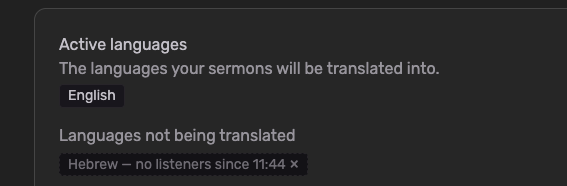
  • Languages switch off when nobody is listening: Set how long a language may go without a listener — anything from 1 minute to 24 hours — and Church Translation switches it off on its own. Nothing is deleted. The language simply stops being translated, and stops being charged.

  • They come back by themselves: The moment a visitor with that language opens the app, it switches back on within seconds. No tap on the language picker, no approval from you, nothing for them to notice.

  • You choose how far it reaches: Switch off only the languages visitors added themselves, or every language including the ones you added yourself.

  • The language you speak is never touched: Your speech-to-text language always stays on. So does a language showing on the projector while you're translating — the projector serves exactly the people who aren't holding a phone.

  • Off for your church until you switch it on: If you were already with us, nothing changes. Your languages behave exactly as they did yesterday until you turn this on yourself.

To get started:

  • Go to Settings → Translation Settings

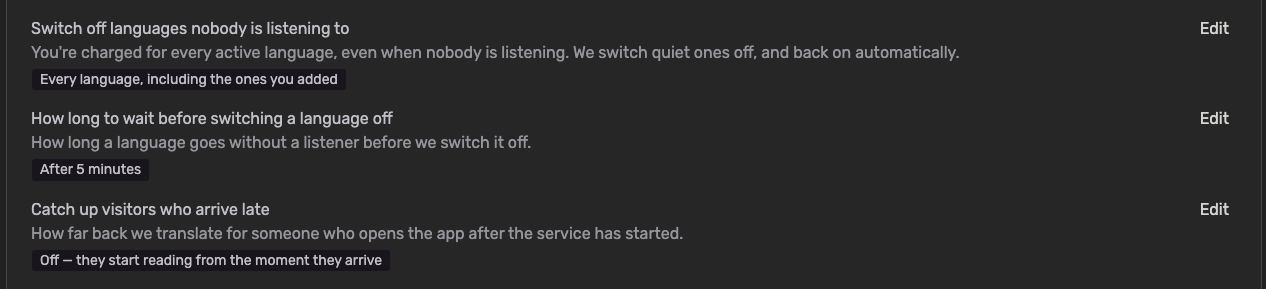
  • Find "Switch off languages nobody is listening to" and click Edit

  • Choose "Languages visitors added themselves" or "Every language, including the ones you added", then Save

  • Under "How long to wait before switching a language off", pick your window. Churches joining today start on After 5 minutes

  • Optionally, under "Catch up visitors who arrive late", decide how much of the service a latecomer gets translated. This is Off by default, because catching someone up costs translation

One thing worth knowing: the saving comes from not translating into a language nobody was listening to — so the archive for that stretch has nothing in that language to show. Rather than leaving it blank, we show the words in the language spoken at the service, with a short note explaining why. If members of your church read the archive back during the week without ever joining live, a longer window keeps more of it in their own language.

NewAdminMobile app

The iOS and Android apps are live!

We are thrilled to announce a major milestone: Church Translation has officially arrived on iOS and Android! Download the brand-new, fully native apps today and enjoy a more personalized listening experience.

  • Now Live in App Stores: Download the official native application today from both the Apple App Store and the Google Play Store.

  • The Full Web Experience, Mobilized: Access every tool, translation capability, and feature you already love from the web version, now fully optimized for your smartphone or tablet.

  • Custom On-Device Voices: Personalize the text-to-speech (listening) mode by choosing from any compatible native voice already installed on your device.

  • Adjustable Speech Rate: Take control of your audio. Easily speed up or slow down the playback speed to comfortably follow along with the service at your own pace.

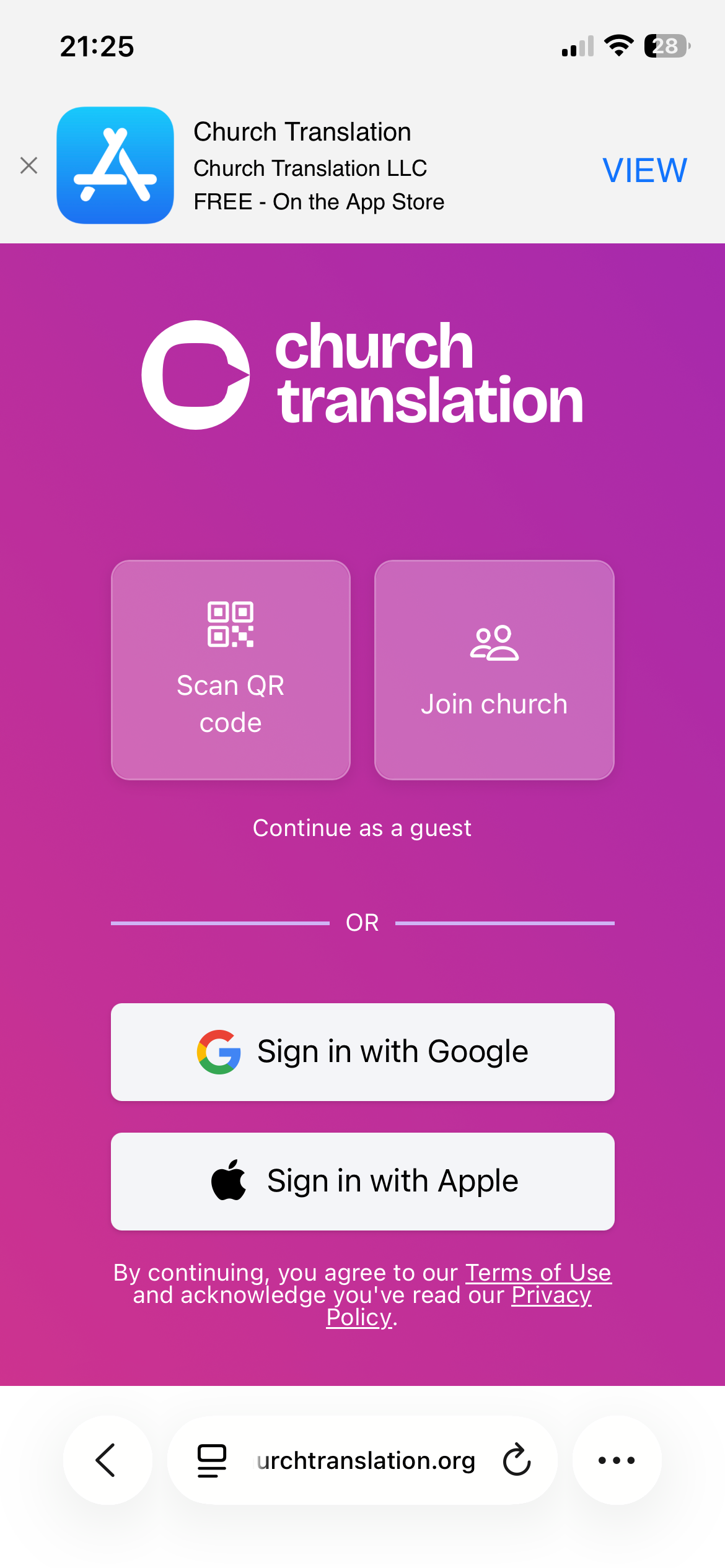
  • Seamless Mobile Discovery: Visiting our web app from your phone? Look out for our new smart banner at the top of your screen, making it easier than ever to jump straight to your app store and download the mobile app.

Mobile app

Earlier updates