August 22nd, 2026
New
Admin
Mobile app
Church Translation charges per active language, and until now a language stayed on your list forever. One visitor who picked Ukrainian last spring has been adding to the bill at every service since — whether or not anyone read it. This release lets your language list follow your actual congregation.
Languages switch off when nobody is listening: Set how long a language may go without a listener — anything from 1 minute to 24 hours — and Church Translation switches it off on its own. Nothing is deleted. The language simply stops being translated, and stops being charged.
They come back by themselves: The moment a visitor with that language opens the app, it switches back on within seconds. No tap on the language picker, no approval from you, nothing for them to notice.
You choose how far it reaches: Switch off only the languages visitors added themselves, or every language including the ones you added yourself.
The language you speak is never touched: Your speech-to-text language always stays on. So does a language showing on the projector while you're translating — the projector serves exactly the people who aren't holding a phone.
Off for your church until you switch it on: If you were already with us, nothing changes. Your languages behave exactly as they did yesterday until you turn this on yourself.
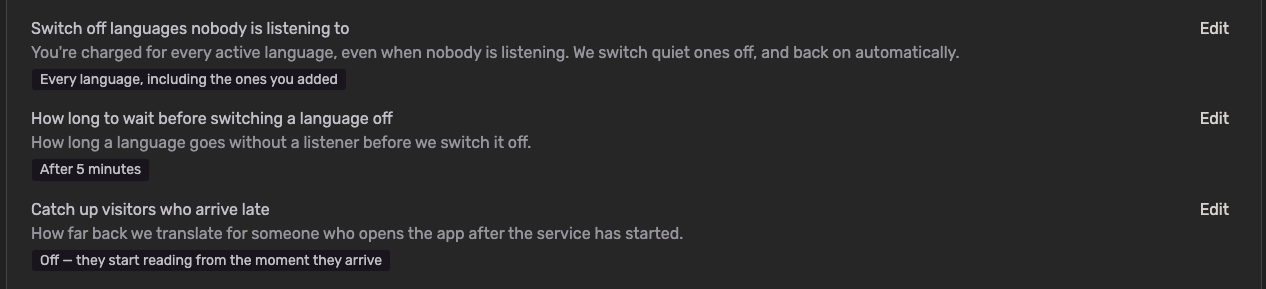
To get started:
Go to Settings → Translation Settings
Find "Switch off languages nobody is listening to" and click Edit
Choose "Languages visitors added themselves" or "Every language, including the ones you added", then Save
Under "How long to wait before switching a language off", pick your window. Churches joining today start on After 5 minutes
Optionally, under "Catch up visitors who arrive late", decide how much of the service a latecomer gets translated. This is Off by default, because catching someone up costs translation
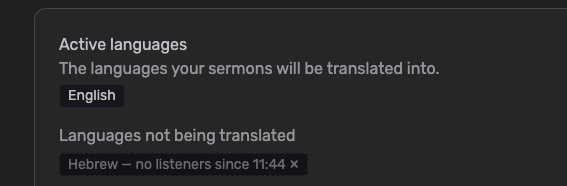
One thing worth knowing: the saving comes from not translating into a language nobody was listening to — so the archive for that stretch has nothing in that language to show. Rather than leaving it blank, we show the words in the language spoken at the service, with a short note explaining why. If members of your church read the archive back during the week without ever joining live, a longer window keeps more of it in their own language.
July 29th, 2026
Improved
Admin
The Keyword Booster tells the speech recognition which words to expect, so names like Habakkuk, Nebuchadnezzar or Zerubbabel come out right instead of turning into something else. This release makes it far bigger, and gives you a curated starting point so you no longer have to build your list from scratch.
Up to 1,000 Keywords: For most languages you can now add up to 1,000 keywords — a big step up from before. Swiss German supports up to 500. Your limit is shown right in the Keyword Booster, and it adjusts automatically to the language you're working on.
Ready-Made Default Lists: We've prepared curated biblical keyword lists of up to 900 words for English, German, Danish, Spanish, French, Italian and Portuguese — book names, people, places and distinctive theological terms, each in that language's own Bible tradition.
Load Them With One Click: Open Keyword Booster and click "Load default keywords". The list drops straight into the editor for you to review before saving, so nothing is added behind your back.
Nothing Gets Overwritten: Keywords you already added stay exactly as they are — loading the defaults only adds what's missing, and duplicates are skipped.
Room Left for Your Own Words: The default lists deliberately stop short of the limit, leaving space for the terms only your church needs — your town, your pastor's name, your ministries, your series titles.
One thing worth knowing: the default lists skip the everyday words (God, faith, grace, prayer) on purpose. Speech recognition already gets those right, and every slot spent on them is a slot not spent on the names it actually struggles with.
July 29th, 2026
Improved
Admin
This release is all about giving your service hosts more freedom and control behind the desk. Run live translation the way that fits your setup — straight from a physical soundboard, or from anywhere in the app.
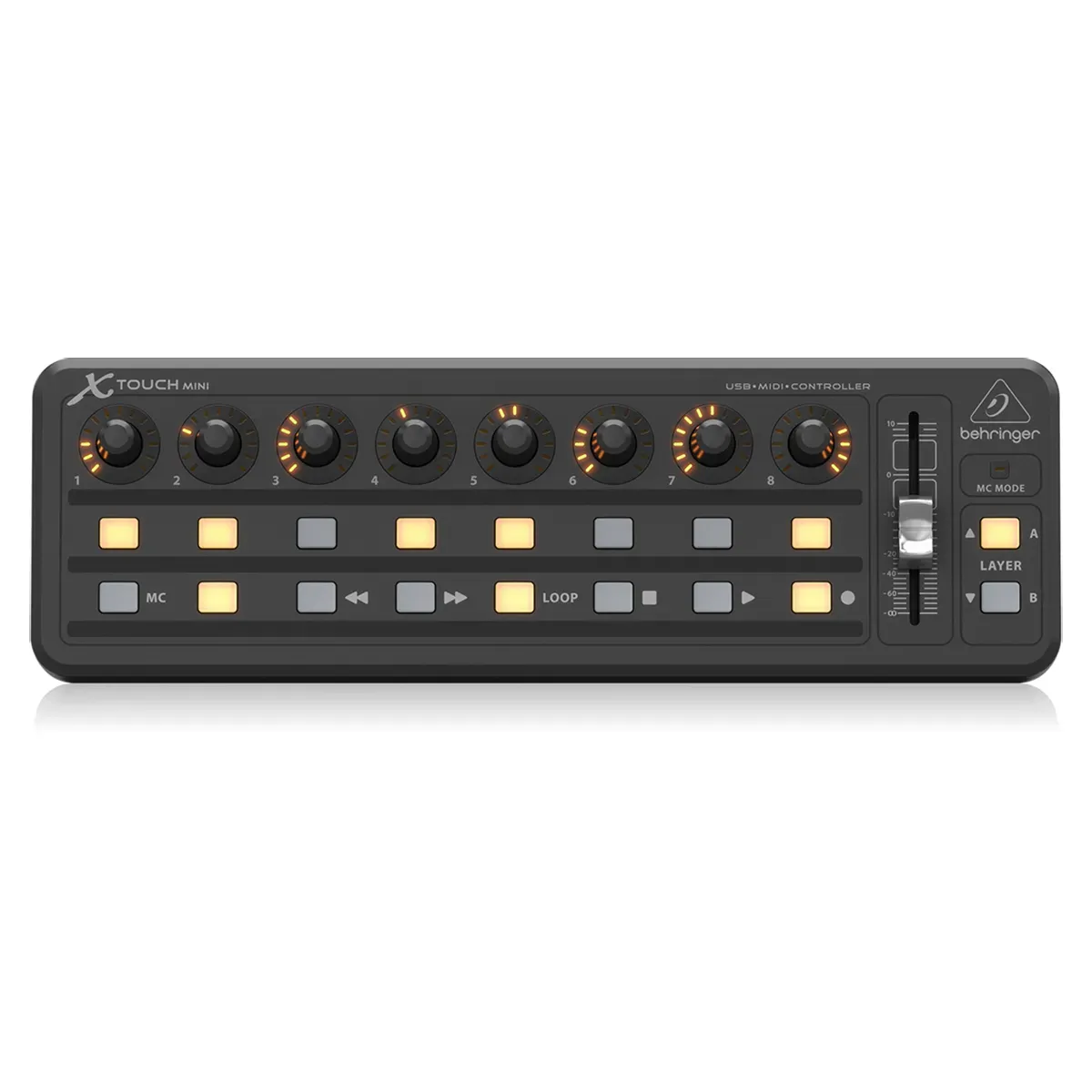
Hands-Free Control with MIDI: Connect a MIDI controller and start or stop live translation without ever touching the computer. Map a physical button to start, another to stop — or use a single button to toggle — right from your Settings. Set it up once, and it's ready for every service.
Glance-and-Know LED Feedback: Your mapped button lights up while you're recording, so a single look at the board tells you you're live — no need to turn back to the screen.
Leave the Translation Page While Recording: Your recording now keeps running as you move around the app. Jump to your announcements, check a preparation, or open settings mid-service — your live translation never skips a beat.
Always-Visible Recording Indicator: A new indicator in the top bar shows your running recording time wherever you are, with quick Stop and back-to-translation buttons always within reach. (In manual mode, we'll still check with you before you leave, since that mode needs you on the page.)
To get started:
Go to Settings
In “Speech-to-text settings” you will see MIDI controls
Grant permissions for the browser to use MIDI
Connect your MIDI controller to your computer
Either select 2 Buttons (one for start, one for stop) or 1 Button (same button for start/stop)
Click on Listen
Press the button on your MIDI controller to connect
A note on desktop apps: Because modern browsers now support MIDI controllers directly, we're no longer planning to release a dedicated native Mac or Windows application — everything you need works right in your browser. If a native desktop app is still important for your church, please reach out and let's talk.
June 8th, 2026
Mobile app
We are thrilled to announce a major milestone: Church Translation has officially arrived on iOS and Android! Download the brand-new, fully native apps today and enjoy a more personalized listening experience.
Now Live in App Stores: Download the official native application today from both the Apple App Store and the Google Play Store.
The Full Web Experience, Mobilized: Access every tool, translation capability, and feature you already love from the web version, now fully optimized for your smartphone or tablet.
Custom On-Device Voices: Personalize the text-to-speech (listening) mode by choosing from any compatible native voice already installed on your device.
Adjustable Speech Rate: Take control of your audio. Easily speed up or slow down the playback speed to comfortably follow along with the service at your own pace.
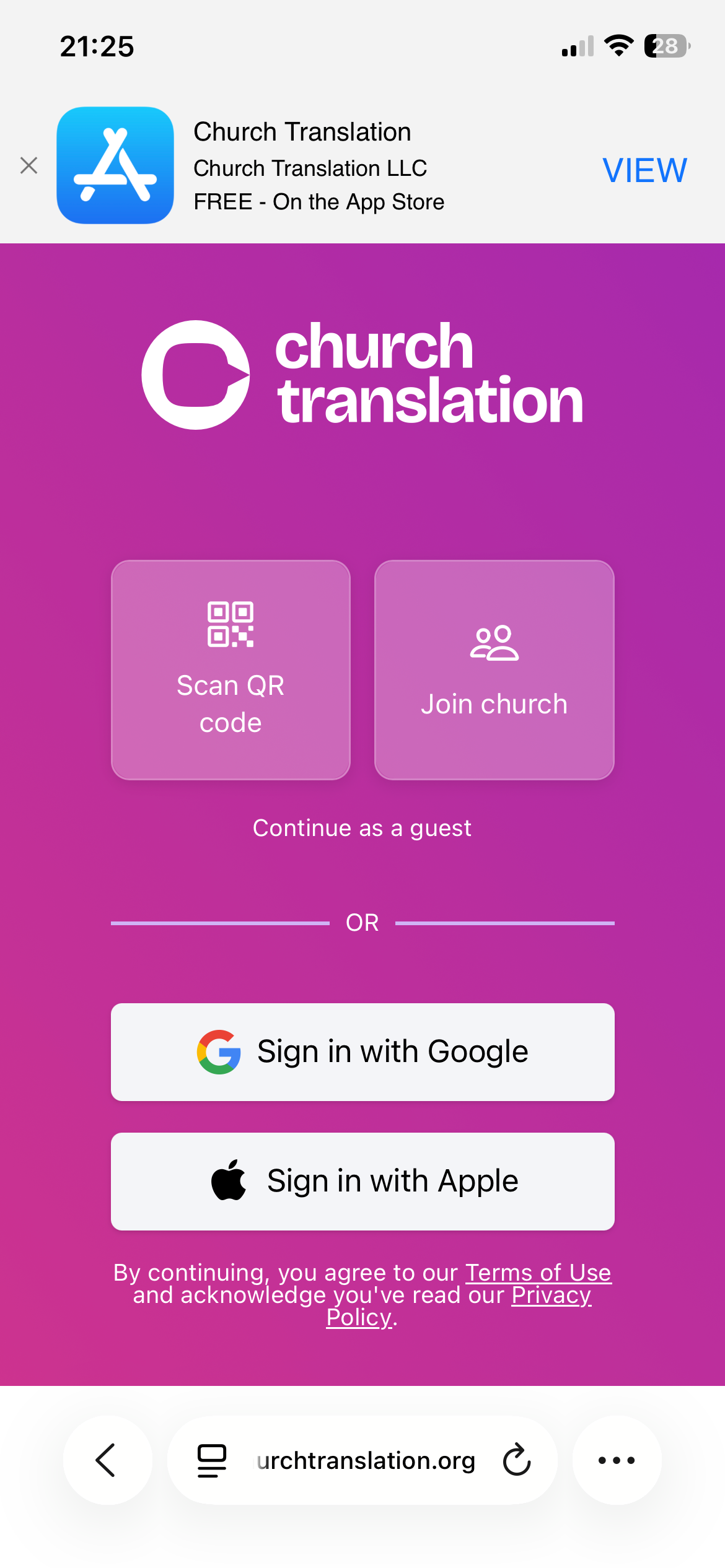
Seamless Mobile Discovery: Visiting our web app from your phone? Look out for our new smart banner at the top of your screen, making it easier than ever to jump straight to your app store and download the mobile app.
April 16th, 2026
New
Admin
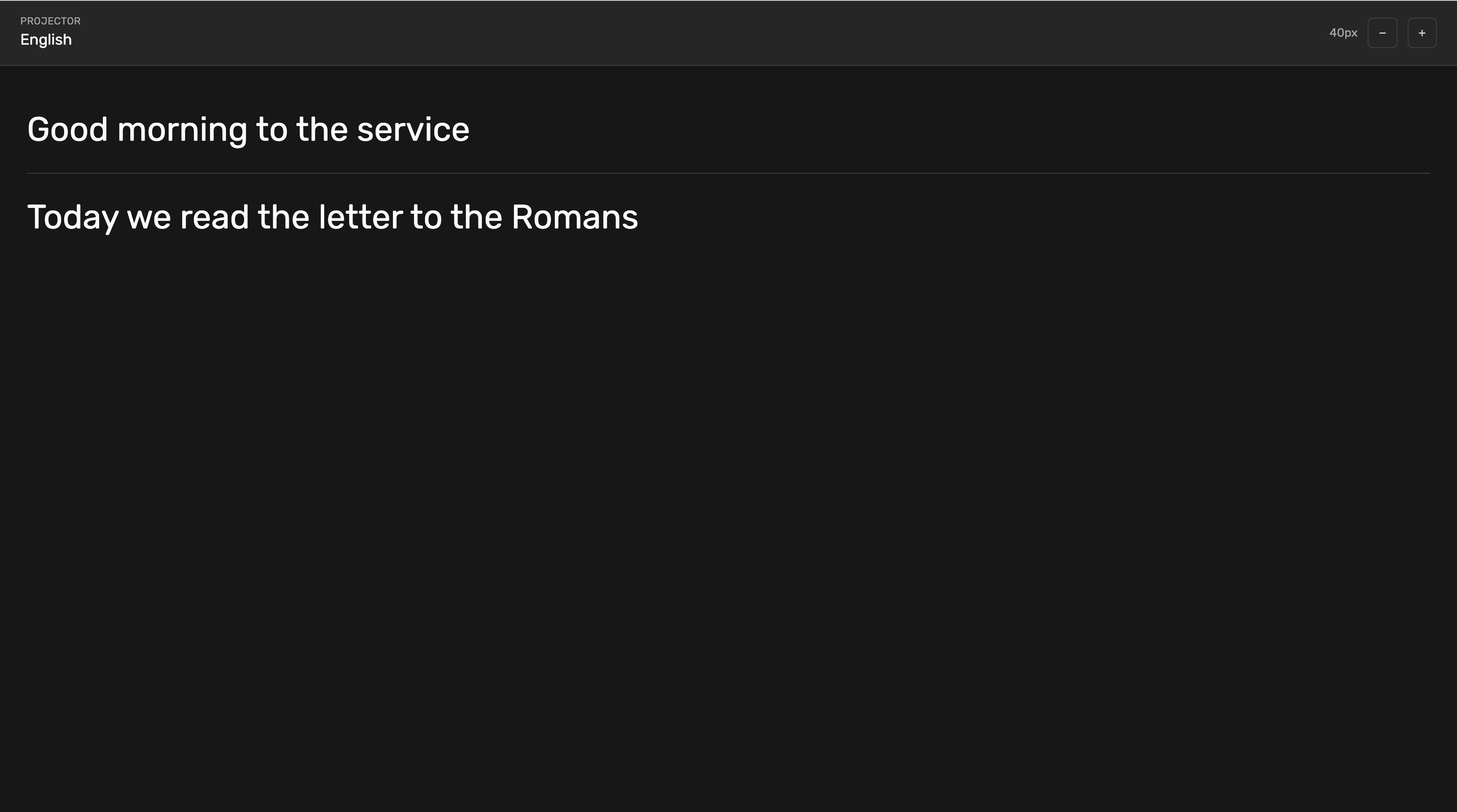
The new Projector Page allows you to move beyond individual mobile devices and share the message with the whole room.
Big Screen Ready: On the Translations page, you can now open a dedicated "Projector" view designed specifically for large screens and church projectors.
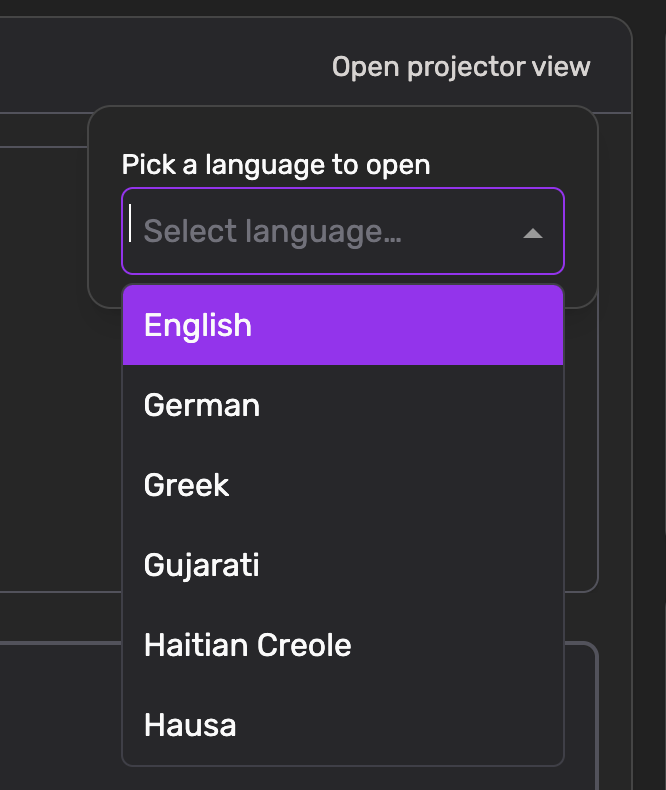
Focused Language Support: Select a single language to be displayed in a large, readable format for your audience.
Real-Time Shared Experience: Ensure that visitors without the mobile app can still follow along with the service in the selected language.
Simple Setup: Launch the projector view with just one click directly from your existing translation dashboard.
April 16th, 2026
New
Admin
Mobile app

Communication just got a lot easier. With our new Announcements feature, church leaders can share important updates directly with the entire community.
Create with Ease: Administrators can now add and manage announcements directly within the Admin App.
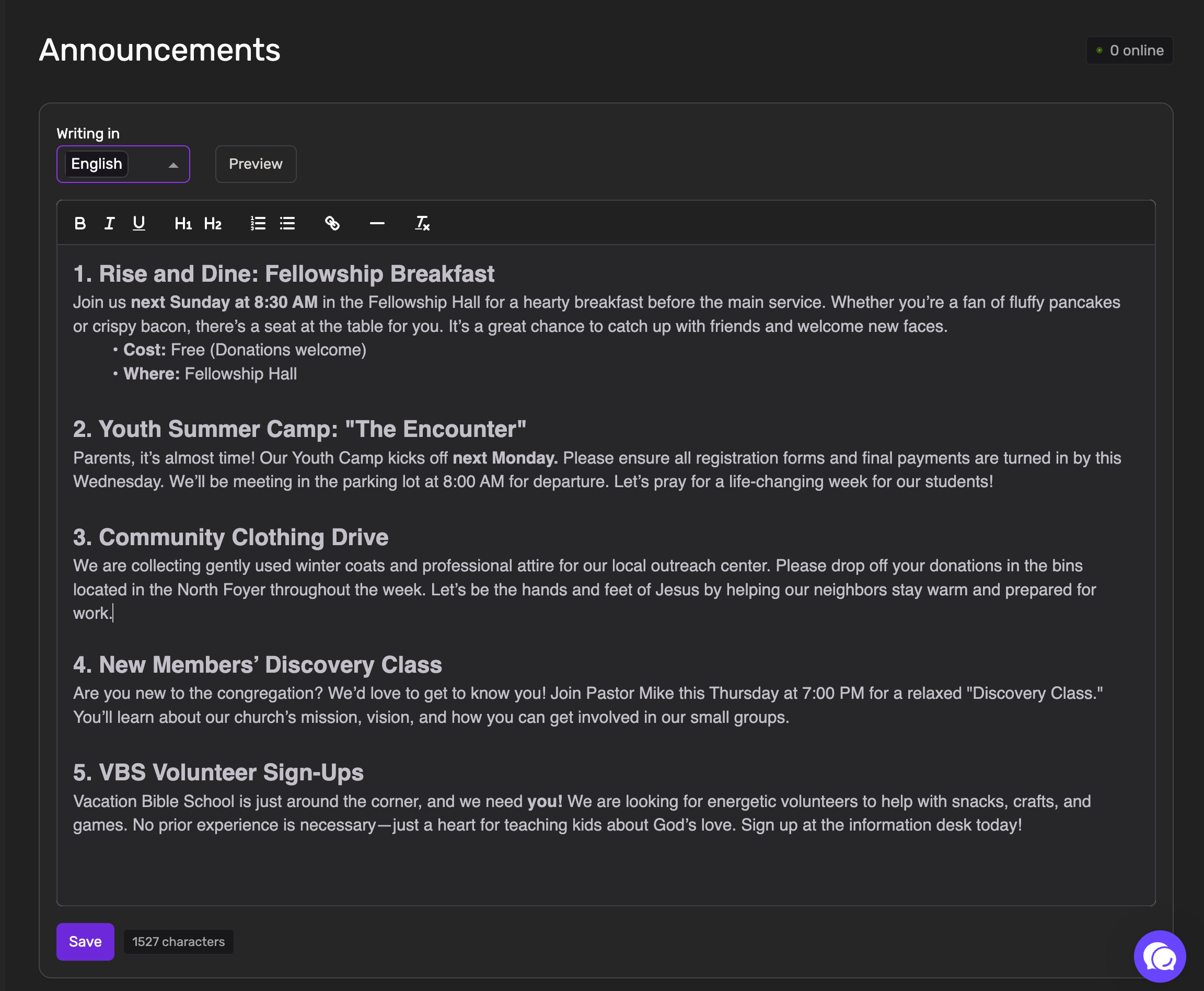
Custom Styling: Make your messages stand out! You can now style your text to highlight the most important information.

Engagement Insights: Stay informed on your reach. In the Admin App, you can now see exactly how many mobile users have viewed each announcement.
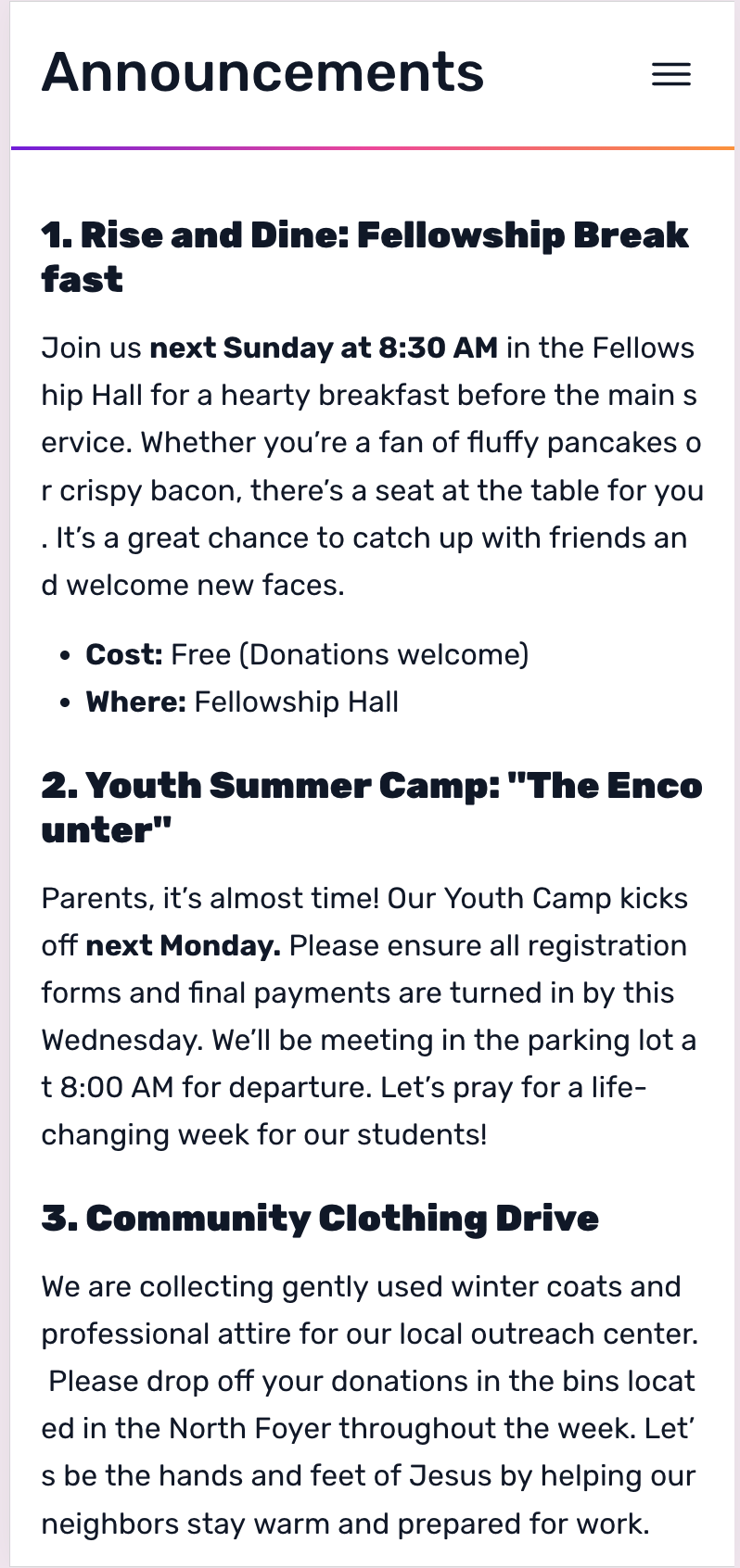
Live Preview: See exactly how your message will look before it goes live. You can now preview the announcement in the Admin App before saving it for the congregation.
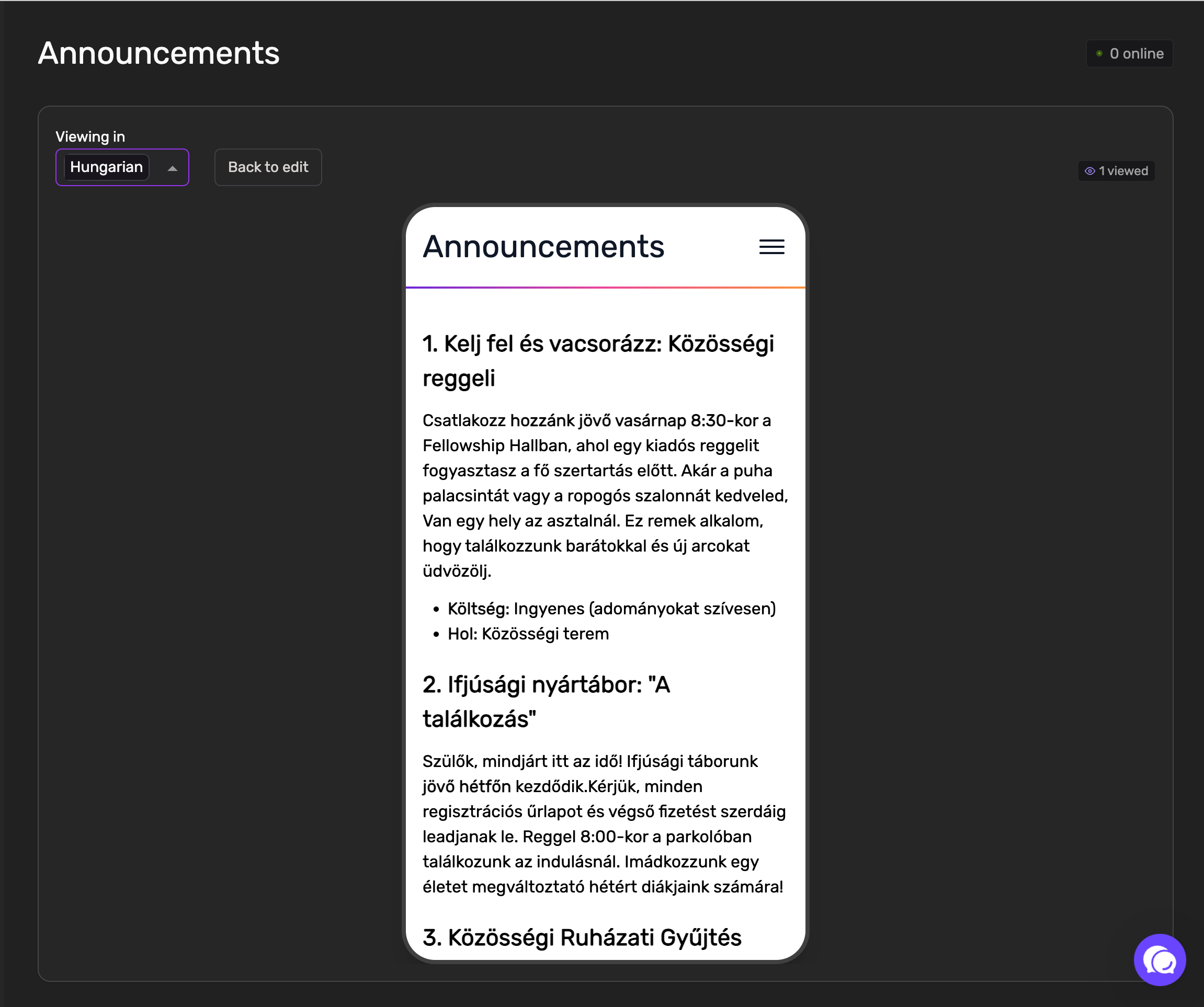
Native Language Access: Every announcement is automatically translated into all languages currently activated for your church. Mobile users will see the announcements instantly in their own selected language within the app.
Visual Indicators: Mobile users will see a red marker in the app whenever a new announcement is created or updated, ensuring no update goes unnoticed.
April 8th, 2026
Improved
Admin
Mobile app
🌐 Mobile & Access Improvements
Auto-Language Detection: To make the first steps even easier, the app now automatically uses your phone's system language as the default during signup.
Simplified Mobile Sign-In: Users can now simply scan a QR code directly from the app to join a session instantly.
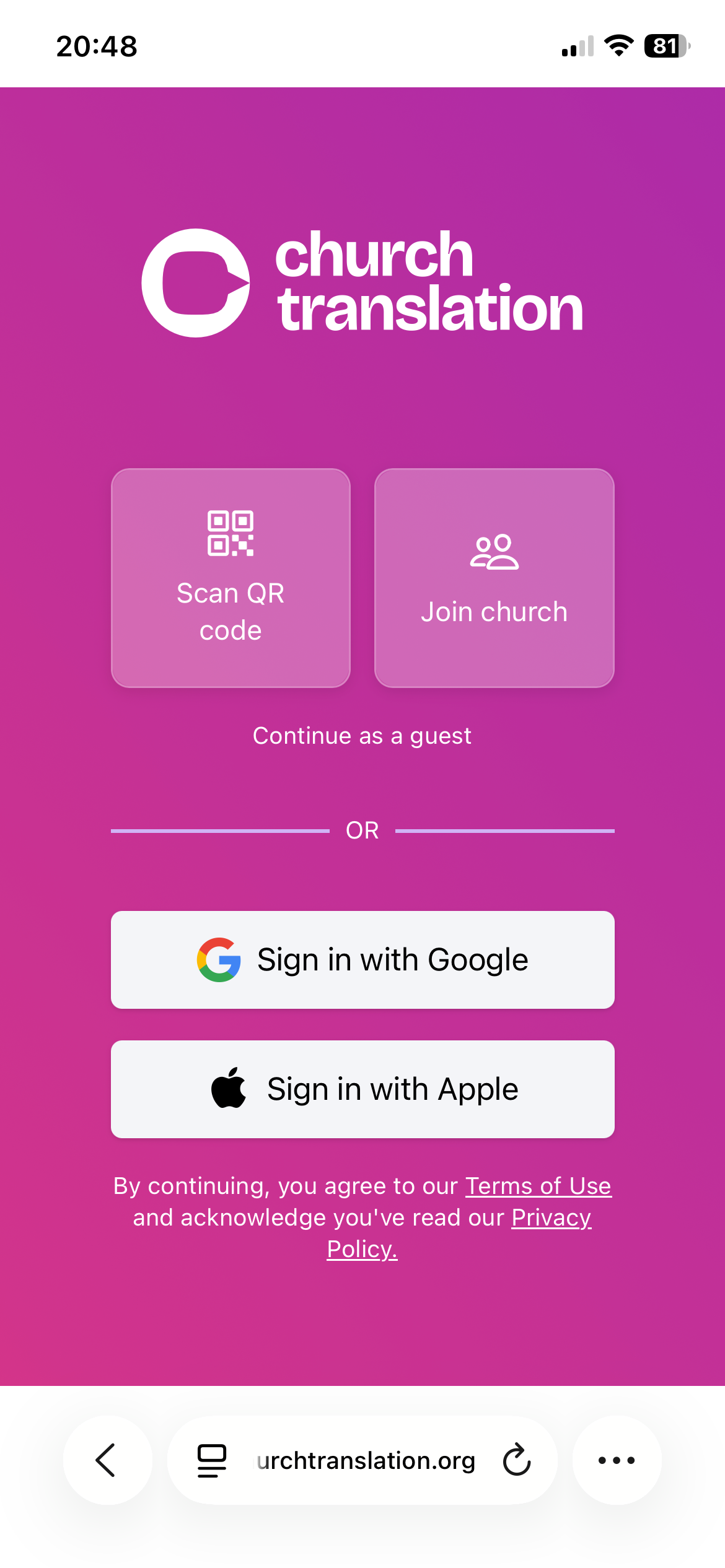
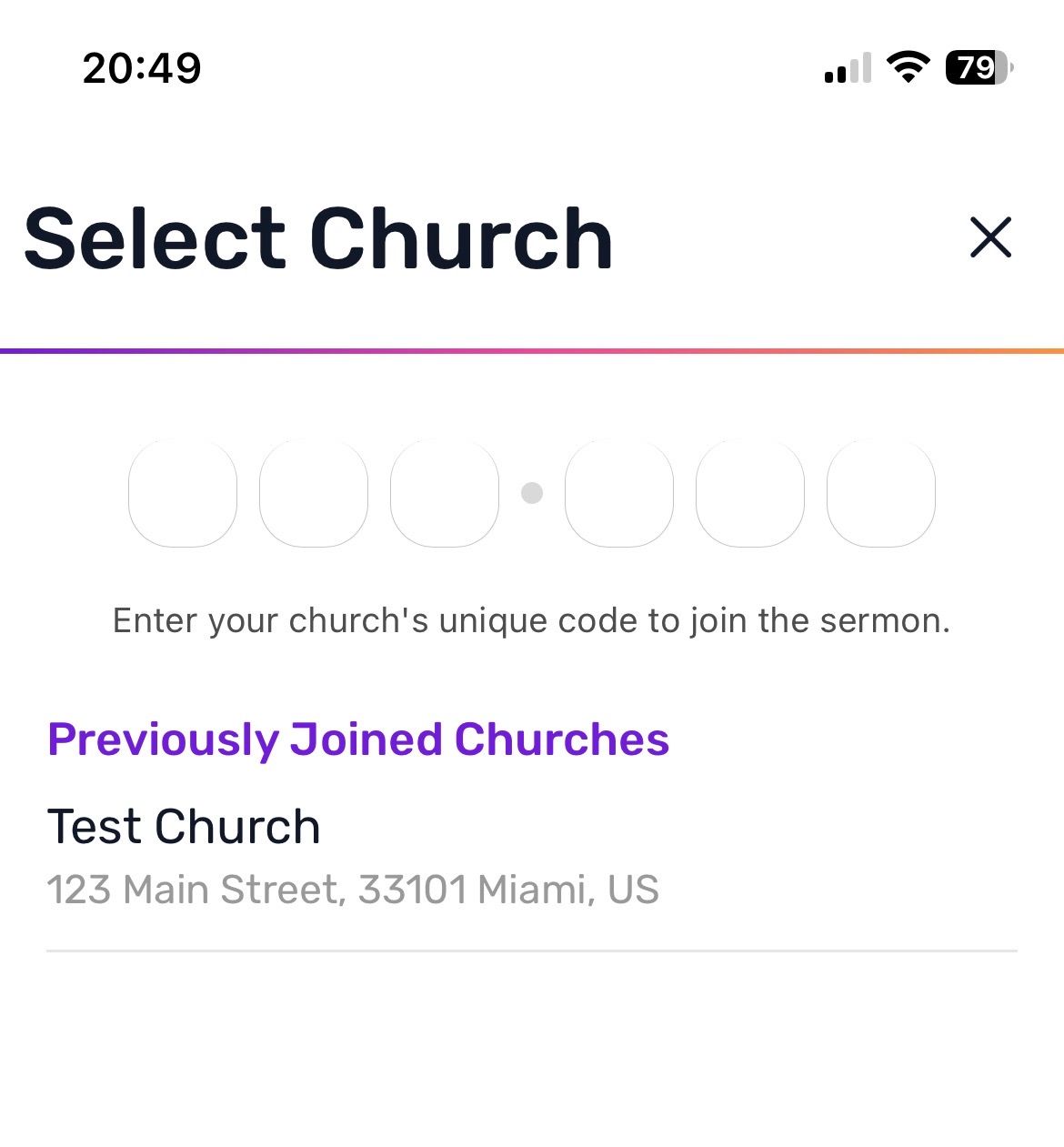
6-Character Codes: We’ve shortened sign-in codes to 6 characters for easier manual entry.
Backwards Compatibility: All your old QR codes will still work perfectly—no need to print new ones!
Persistent Church History: Users can now see a list of previously joined churches, even when signing in with a new guest account.
👤 Account & Profile Management
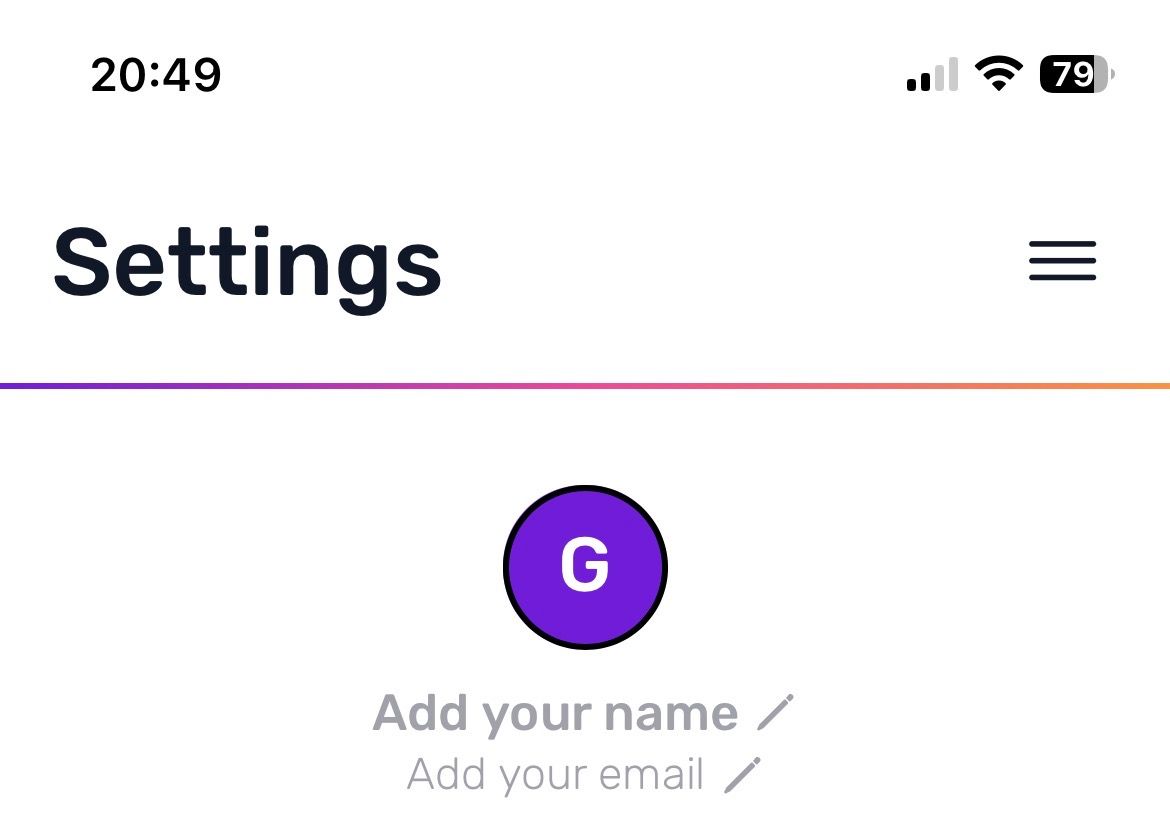
Guest to Permanent: Seamlessly transform a guest account into a permanent one without losing your history.
Social Sign-In: Link or sign in using Google or Apple directly within the settings menu for a faster login experience.

Profile Updates: You can now update your name and email address directly in the settings.
🎙️ Admin, Support & Community
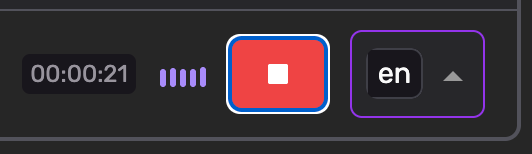
Audio Recording Indicator: The Translations page now features a live audio indicator while recording, providing visual peace of mind that your stream is active.
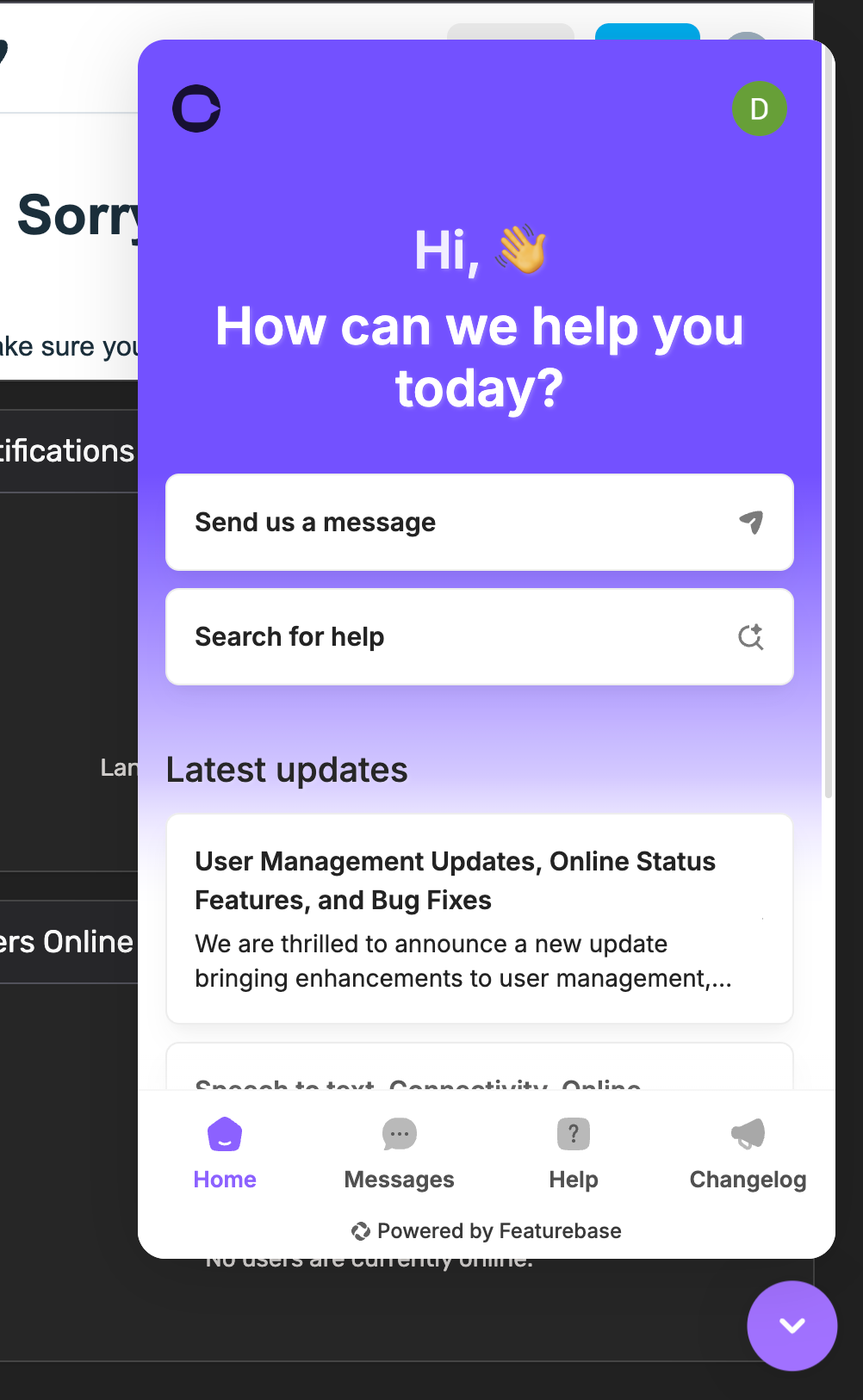
New Help & Feedback Hub (Featurebase): We’ve integrated Featurebase to host our Helpcenter, Changelog, and public Roadmap.
AI Support Chat: Use the new chatbox to talk to an AI trained on our Helpcenter for instant answers, or connect with me directly.
Your Voice Matters: We have optimized our internal processes to deliver new features even quicker. Please use the Featurebase/Chat integration to request new features or upvote ideas from others! This helps us prioritize what matters most to your church.
🚀 Coming Soon
Church Announcement Page: Admins will soon be able to create formatted announcements that appear in the mobile app in the visitor's selected language.
App Store & Play Store Launch: Native iOS and Android apps are in final testing and will be submitted shortly after the Announcement feature is finalized.
Desktop Admin Apps: Native macOS and Windows versions are coming to allow recording control via external hardware.
January 24th, 2026
New
Improved
Fixed
Admin
Mobile app
We are thrilled to announce a new update bringing enhancements to user management, online activity monitoring, and various improvements within Church Translation.
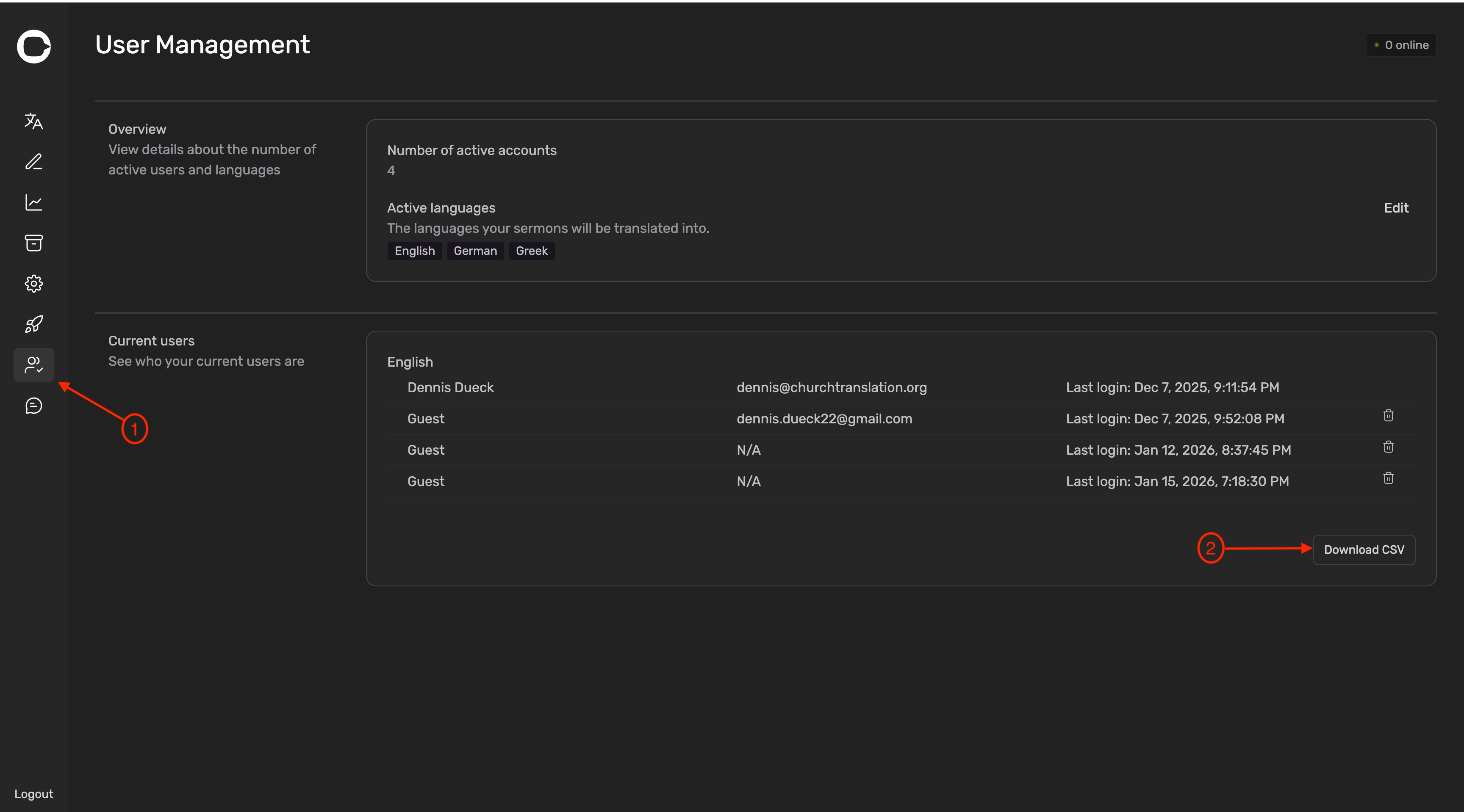
You can now export the list of current users as a CSV
Steps:
Go to User Management page
Click on Download CSV in the Current users section (bottom right)
The CSV will contain: Name and Email (if available), the selected language and the last login date
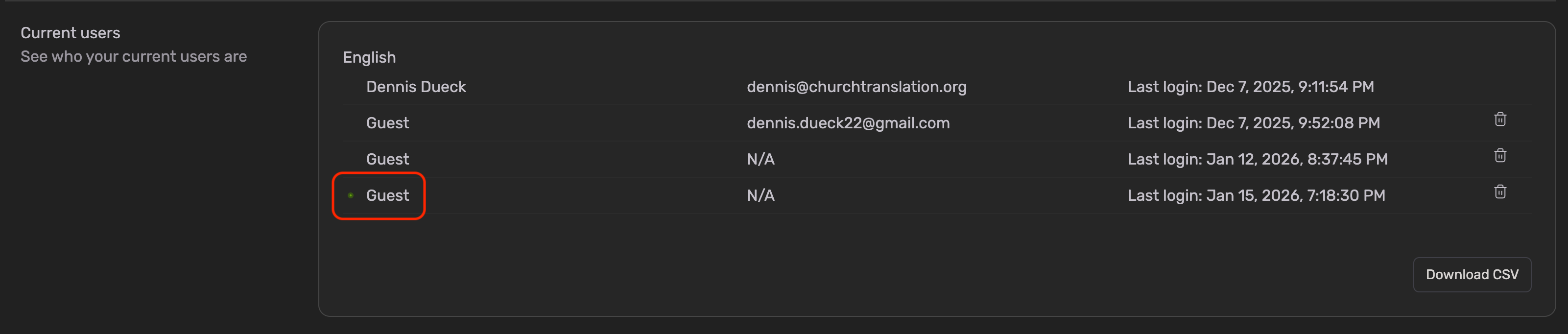
User Management page shows who’s online now
The user is online if there is a green dot next to the name
You can now see who is online on the Translation Page
We added a new section Users Online to the Translation Page.
Here you can see who is currently online
You can see
the Name and Email (if user signed up with Google or Apple)
the selected language
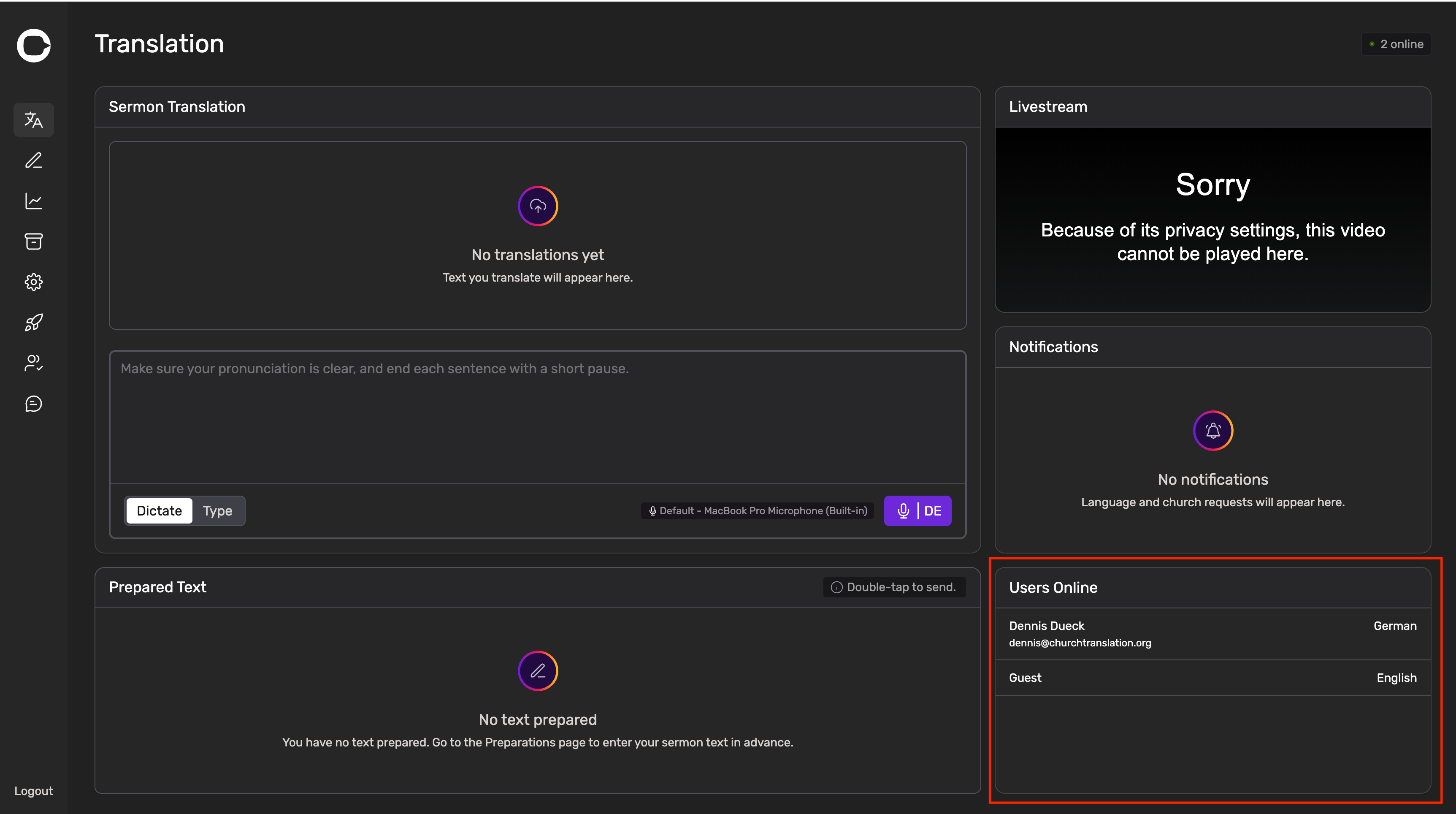
To find Online Users on a Smartphone, you will need to scroll down!
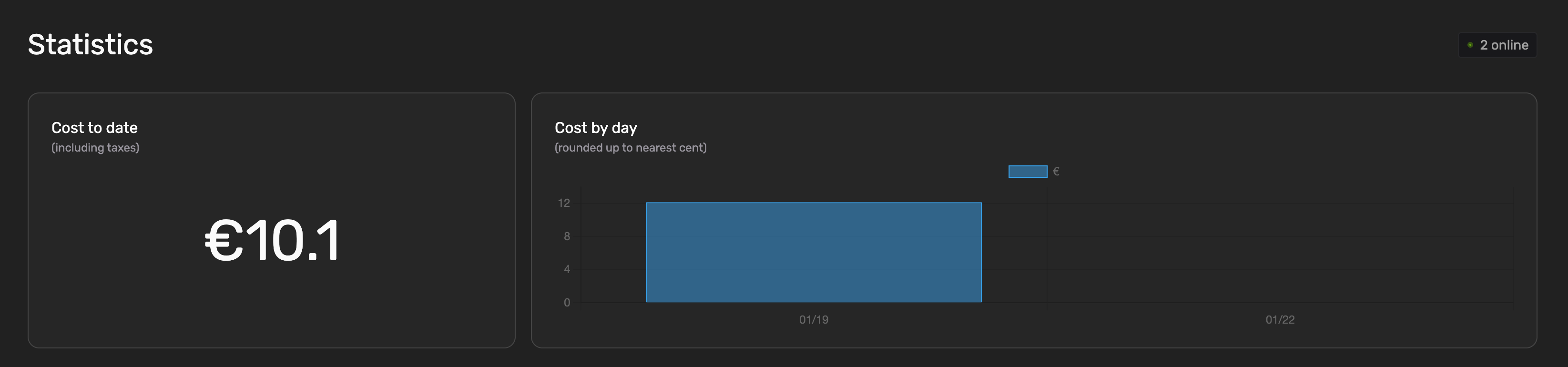
The Statistics Page will show the Cost by day accurately again
We introduced a bug during the last release, causing the Cost by day to show nothing. This is fixed now!
Split Sentences should not cut off too long text anymore
The split sentences feature on the Preparations Page did cut off text if it was too long. This is resolved now!
Please review the 👉 The Split Sentences Rules if you’re using Preparations as your translation tool.
Reduced lag for audio output on the mobile app
The text-to-speech (audio output) feature on the mobile app lagged behind the actual preaching quite a bit for two reasons:
the audio files were downloaded from our server once the text was ready to be spoken
the playback rate was set too low
Improvements
We’re now downloading up to 5 audio files in advance to reduce the time between the end of one file and the start of another
We increased the playback rate to 1.3 to not fall behind the actual preaching but still sound natural
In case the listening feature falls behind the actual preaching, we will not automatically scroll to the bottom anymore. Instead scroll to the actual text spoken.
We will enhance our support process very soon
We will be rolling out detailed articles about Church Translation
Getting started guides
Tips and Tricks
General information (language support, pricing, etc)
The articles will be available in English and German.
Please checkout the first articles in 👉 The Help center.
We just started releasing articles in english. German will follow soon!
The Changelog moved from a page on the actual website to 👉 here and will be released in English and German going forward.
You will still receive emails!
PS: On that page you will also see “Feedback” and “Roadmap”. You will hear more about that soon!
Happy translation!
January 15th, 2026
Improved
Fixed
Admin
Mobile app
🎙️ Intelligent Speech-to-Text Upgrade
AI-Driven Sentence Detection: Replaced "silence timers" with AI that detects natural sentence endings for faster, more responsive translations.
Unified Language Models: Replaced regional accents with a single, high-performance model per language (e.g., one model for all English accents).
Swiss German Note: While Swiss German is supported, we recommend using High German for maximum accuracy. Please test your specific setup before going live.
Keyword Optimization: Added a 100-keyword limit to maintain high speeds. Your existing custom keywords have been prioritized.
Action Required: We recommend testing the new system before your next Sunday service.
💰 Simplified Pricing Model
No Hourly Fees: The €1.00 per hour Speech-to-Text fee has been completely removed.
Flat Translation Rate: Pricing is now a simple €0.01 per 150 characters translated.
Invoice Updates: Existing customers may still see a "Speech to Text" line item on upcoming invoices, but the charge will be €0.00 while we transition.
📱 Mobile App & Connectivity
Stabilized Connections: Fixed real-time connection issues, specifically improving reliability for iOS users.
Smart Reconnection: If a connection drops, the app now automatically reconnects and uses a 3-second "polling" system to ensure no translations are missed.
Legacy Support: Restored compatibility for older smartphones to ensure all congregation members can stay connected.
🛠️ Additional Improvements
Accurate "Users Online" Count: Overhauled the tracking system to provide significantly more accurate live attendance data.
Extended Dictate Mode: Removed the 1-hour auto-disconnect to allow for uninterrupted workflows.
October 17th, 2025
New
Admin
We've integrated a dedicated Billing Management Portal to simplify how you handle your Church Translation subscription.
Access the Billing Portal: You can now directly open the billing portal right from your application settings.
Self-Service Subscription Management:
Cancel Your Subscription
Update Payment Methods: Change your credit card or other payment details securely.
View Billing History: Access and download past invoices and receipts for your records.
Powered by Stripe: All payment processing and sensitive financial data handling is managed securely by our trusted partner, Stripe. Church Translation does not store your payment information directly.